Guide · 13 September 2026
Who owns an AI agent? Roles, audit and accountability
The first agent in a company usually belongs to whoever built it. By the fifth, nobody is sure who changed the outreach agent's instructions last week, or who is supposed to answer its approvals. As agents take on real work, they need what any other part of the business has: an owner, clear permissions, and a record of changes.
Every agent needs an owner
An owner is the person who answers for an agent: they know what it is for, they review its failures, they decide when it changes. Without one, an agent that starts failing is everybody's problem and nobody's job.
Make it explicit. Every agent has a named owner, and the owner is who gets asked when something about it looks wrong.
Separate building from deciding
Three kinds of permission matter, and they don't have to belong to the same people:
- Running the workspace: settings, billing, members, provider keys.
- Building and changing agents: instructions, tools, schedules.
- Deciding: approving an agent's actions and answering its questions.
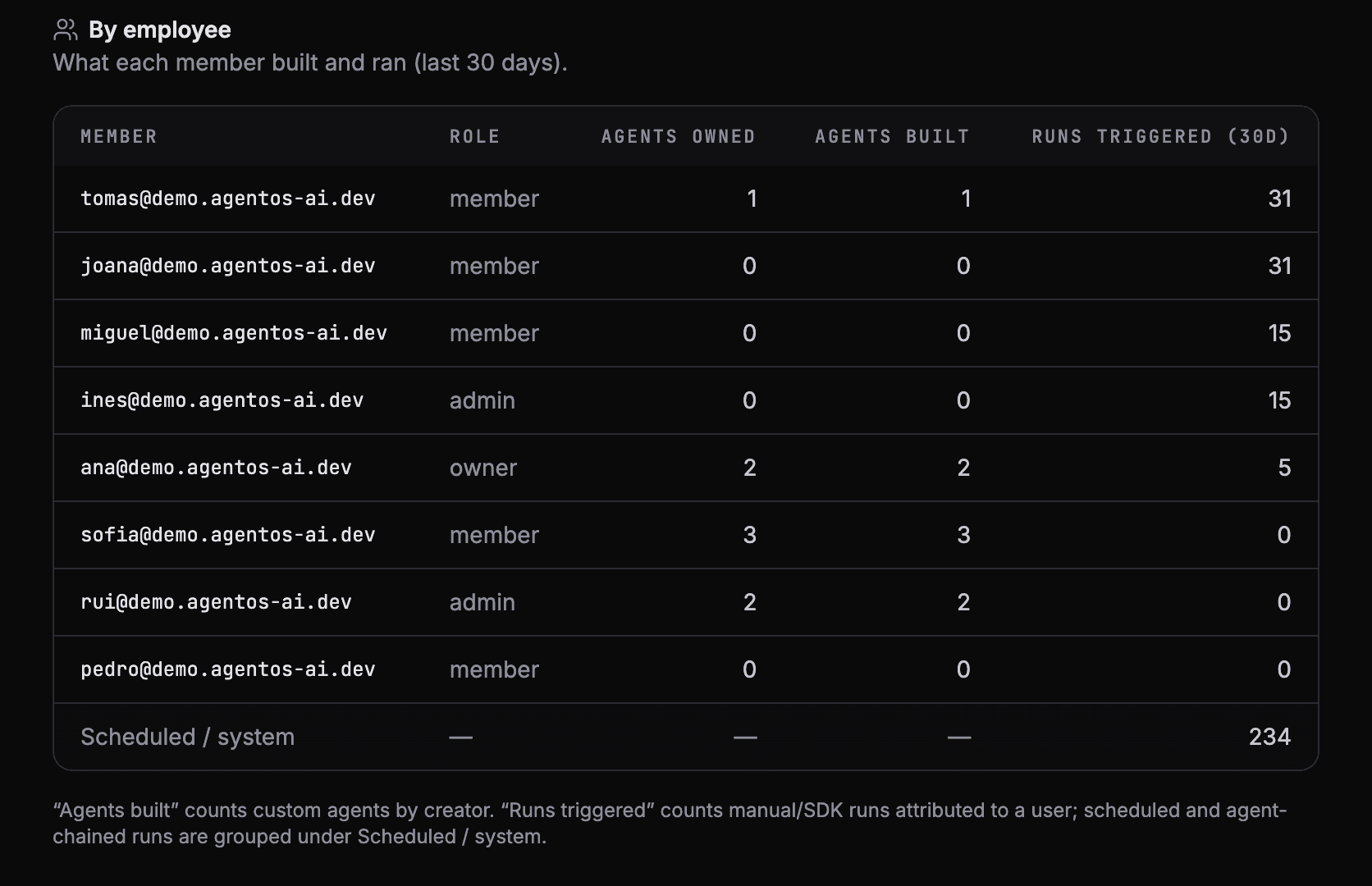
In AgentOS these map to three roles:
| Role | Can |
|---|---|
| Owner | Everything, including billing and transferring ownership |
| Admin | Run the workspace: settings, billing, members, provider keys |
| Member | Build and change agents in the folders they have access to, and decide approvals |
Members see the folders they have been given and the agents they created, so a team can own its own agents without seeing everyone else's.
Keep a record nobody can edit
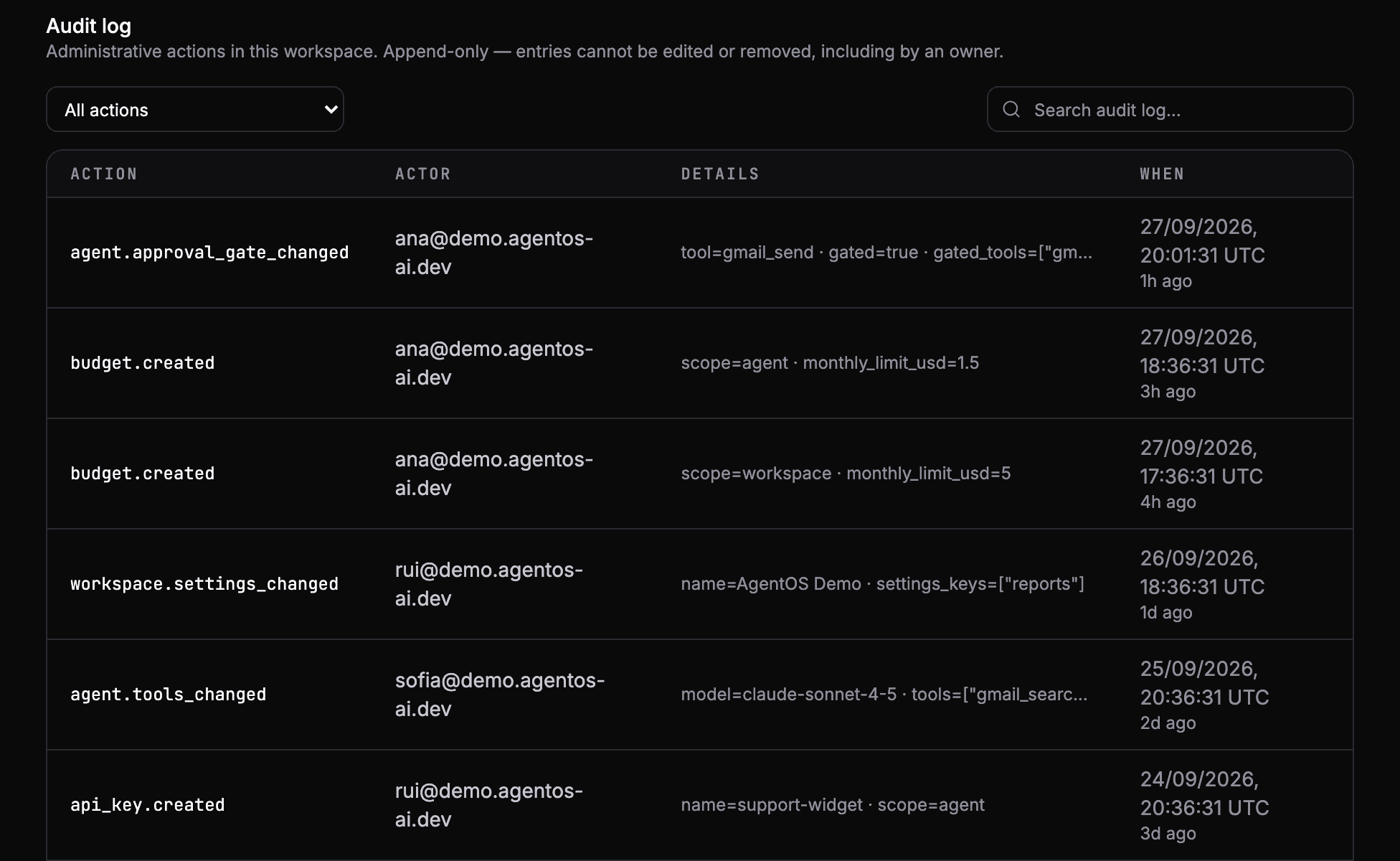
When an agent does something surprising, the first question after "what did it do" is "what changed". A good audit log answers it:
- who changed an agent's tools, or paused or deleted it, and when,
- who added or removed an approval gate,
- who created an API key, and for what,
- who invited whom, and with which role,
- who set or changed a budget.
The record is only worth something if it can't be rewritten after the fact. In AgentOS the audit log is append-only: nobody can edit or remove an entry, owners included. The audit log is part of the Enterprise plan.
A short checklist
- Every agent has a named owner.
- Only the people who should change agents can.
- Everyone who can decide approvals knows the queue is theirs to answer.
- Changes to agents, keys and members leave a record.
See your own agents like this
AgentOS records every run, pauses risky actions for approval, and tells you when an agent breaks.