Guide · 26 September 2026
A weekly review for your AI agents
Agents don't get tired, but they do drift. A source changes, a prompt edit has a side effect, an approval queue fills up. What keeps a fleet working is not a clever prompt. It is a short review, once a week, in the same order every time.
The examples below come from our own workspace, where about two dozen agents run our company.
1. The fleet, worst first
Start with the whole fleet on one screen: runs, success rate, failures and token use for the week, and the agents that need attention at the top.
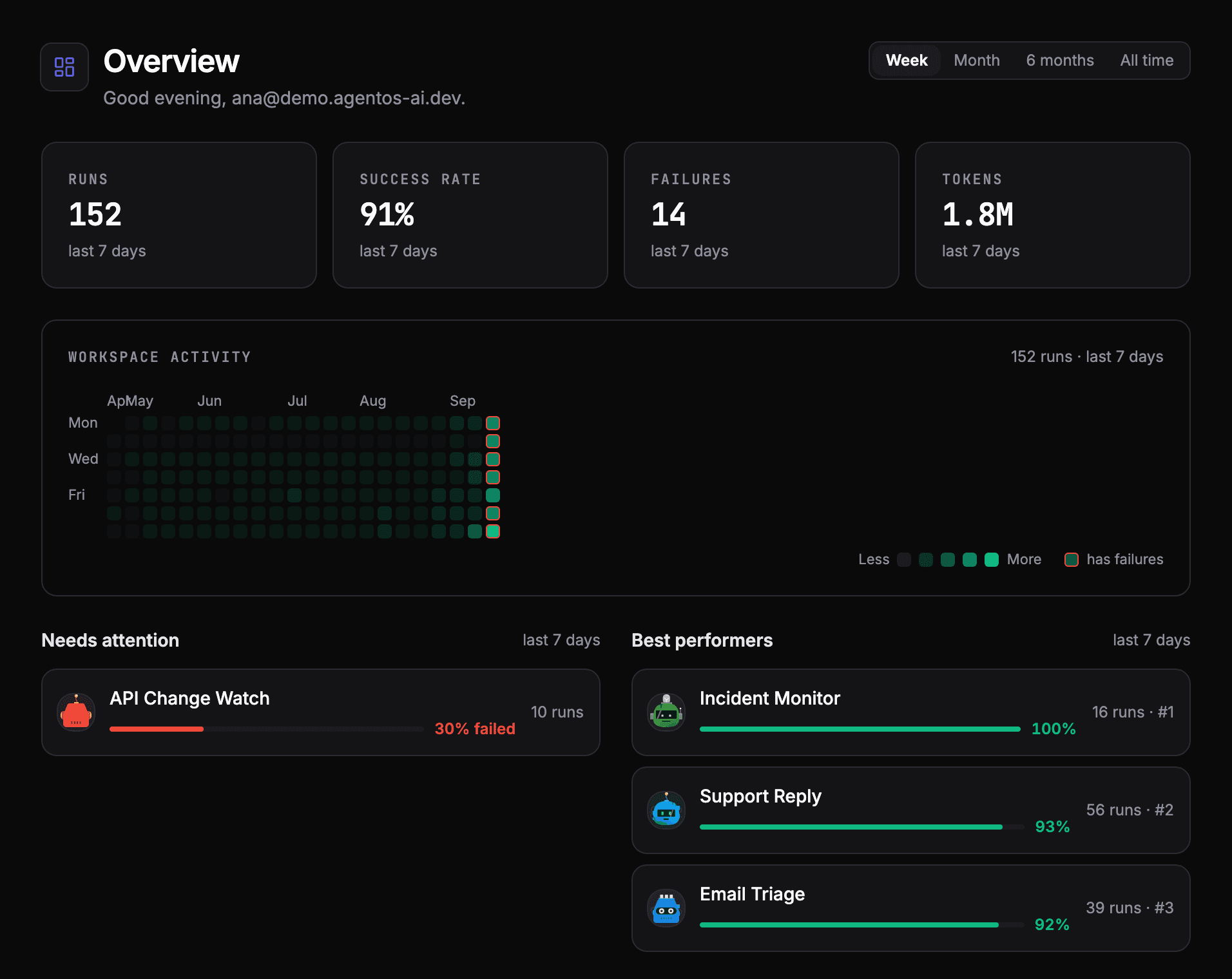
The question here is only "which agents do I open?". Anything with a rising failure rate, a jump in tokens or no runs when it should have run goes on the list.
2. Read the failed runs, not just the count
For each agent on the list, open a few failed runs and read them step by step. A failure count says something is wrong; the run says what.
This is how we found our LinkedIn agent publishing the wrong day's post. Both runs completed without an error. Only reading the steps showed that the agent had worked out the weekday itself, and got it wrong.
3. The approvals that expired
Check which approvals expired without a decision. An expired approval is not the agent failing. It is the process around it failing, and it tells you where you ask people for too many decisions. Between 18 August and 25 September, 17 of 29 weekday LinkedIn posts expired this way, and that is why we are cutting the schedule to three posts a week.
4. Cost per agent
Look at spend by agent for the week, not the monthly total. This is how we caught an agent whose runs cost about thirty times more than we expected, and paused it. See what an AI agent really costs.
5. The findings inbox
Built-in intelligence agents review the fleet in between: failure trends, slower runs, odd tool-call patterns, weak prompts, wasted tokens. Read what they filed that week, worst first, and turn the useful recommendations into changes.
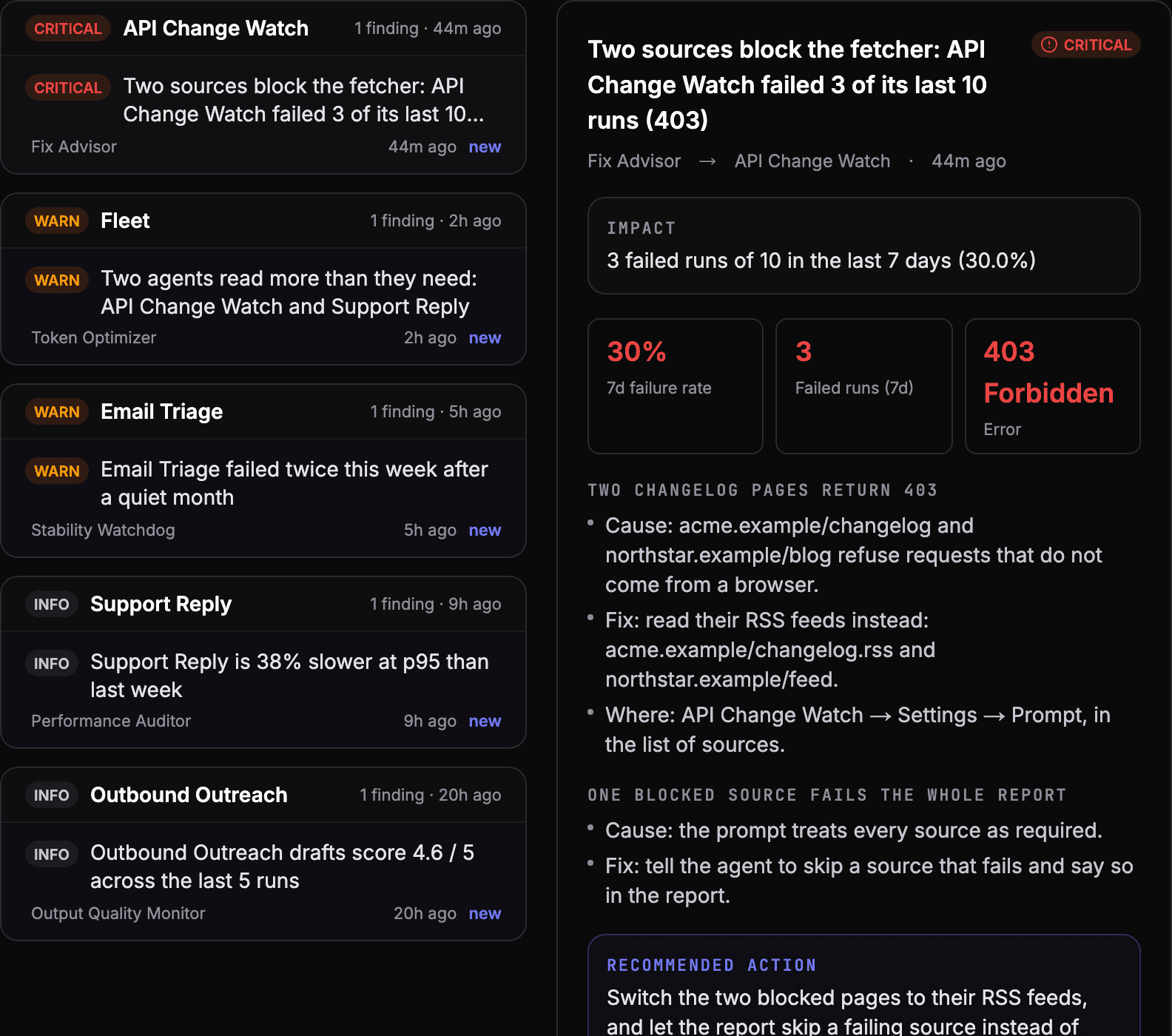
6. Change one thing, and test it
Give every change from the review a test case, so the same problem shows up in a failing test rather than in production. See how to test an AI agent.
What the routine is for
The review is not about catching every failure. Alerts do that. It is about the slow problems no alert fires for: an agent that is technically working but no longer worth running, a queue that people quietly stopped answering, a cost that crept up. Those only show up when someone looks, on a schedule.
See your own agents like this
AgentOS records every run, pauses risky actions for approval, and tells you when an agent breaks.