Guide · 26 July 2026
What an AI agent really costs, and where it hides
Most of what an AI agent costs is tokens: the text it sends to the model and the text it gets back, run after run. Each run is cheap. The problem is that nobody looks at runs; they look at the monthly bill, and by then a wasteful agent has been wasting for weeks.
Look at cost per run, per agent
The monthly total tells you that you spent money. Cost per run tells you which agent spent it, and whether that changed yesterday.
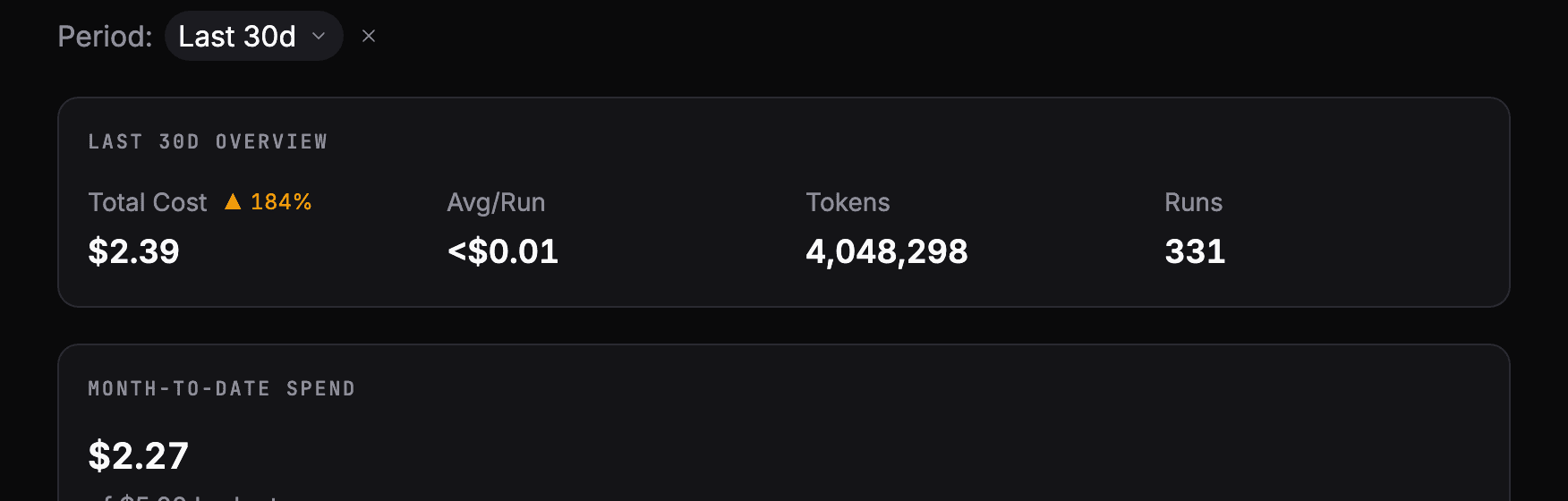
We learned this on our own agents. One of them searched a social network every morning for conversations worth joining. Each search run cost around $0.60; publishing a post cost about $0.02. Per run, the difference was obvious right away, and we paused the agent. In a monthly total it would have been one line among many.
Where the waste usually hides
Token waste rarely comes from the model being expensive. It comes from the agent reading more than it needs, over and over:
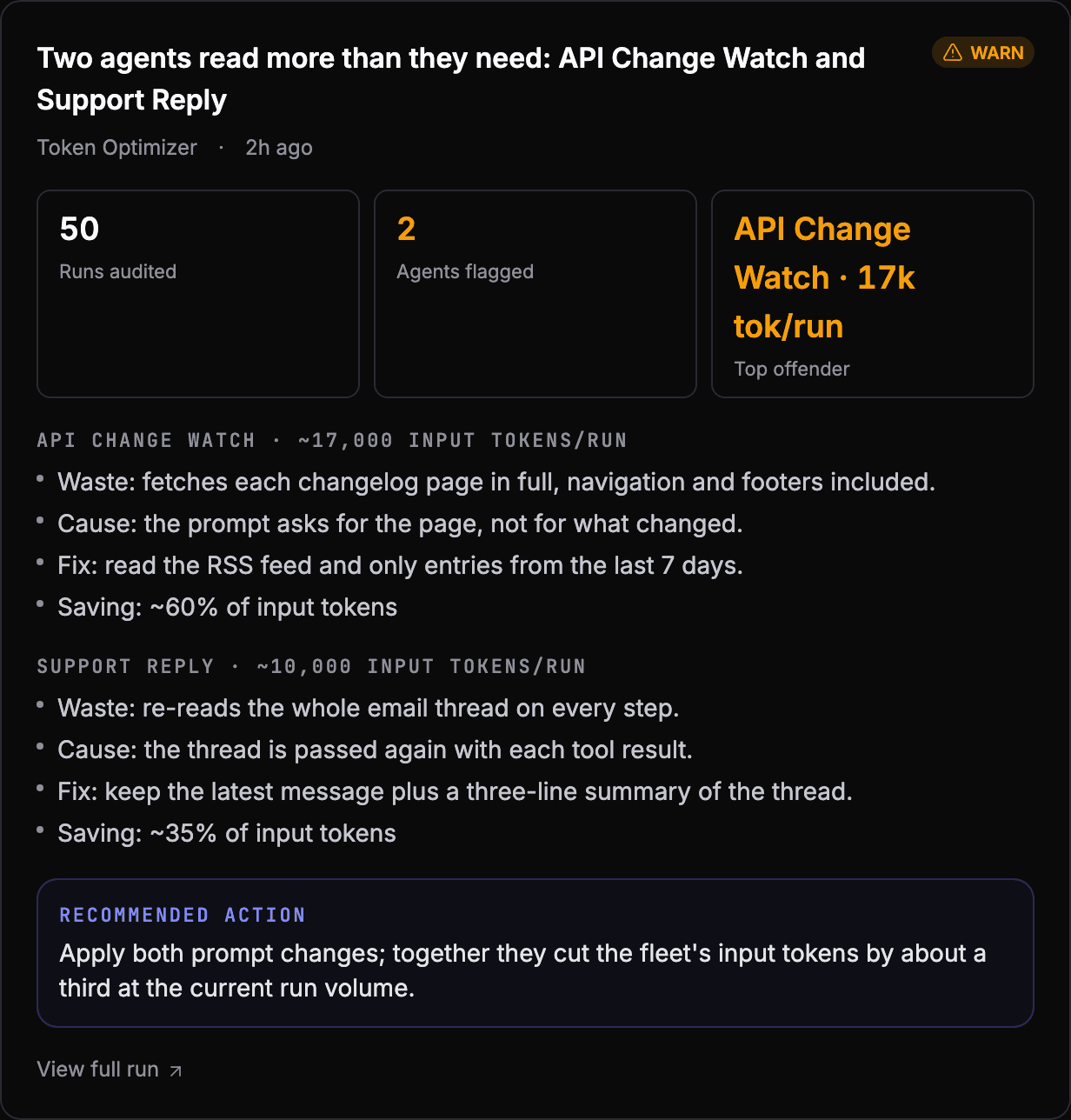
- Whole documents when a part would do. Fetching a full web page, navigation and footer included, to find three lines that changed.
- The same context on every step. An agent that works in several steps re-sends its whole conversation each time. A long email thread passed back with every tool result grows the cost of every step.
- Calls that could be batched. Ten small tool calls where one would do, each with the full context around it.
- The wrong model for the job. A large model sorting emails into five labels.
These are usually one-line fixes in the agent's instructions, once someone points at them.
Set a budget per agent
A budget turns cost from something you check into something that tells you. Set a monthly limit for the whole workspace and a smaller one for each agent you worry about, and watch the month-to-date spend against each.

The point is not the limit itself. It is hearing about a runaway agent on the day it starts, not at the end of the month.
How AgentOS tracks it
- Usage shows spend over time, by model and by agent, from the token counts recorded on every run.
- Monthly budgets can be set for the workspace and for individual agents, with the month's spend against each.
- Every workspace has an alert for a monthly budget being exceeded.
- Token Optimizer, one of the built-in intelligence agents, reads recent runs and ranks the prompt changes that would cut the waste.
See your own agents like this
AgentOS records every run, pauses risky actions for approval, and tells you when an agent breaks.