Guide · 30 August 2026
How to build a support inbox agent that knows when to stop
The support inbox is the most common first job for an agent, and a good one: the questions repeat, the answers already exist in your help centre, and every hour saved is visible. It is also where an overconfident agent does the most damage, by promising a refund or answering a complaint with a help article.
The goal is an agent that answers what it can, stops where it should, and makes both easy to check. We run our own support inbox this way.
Split the job in two
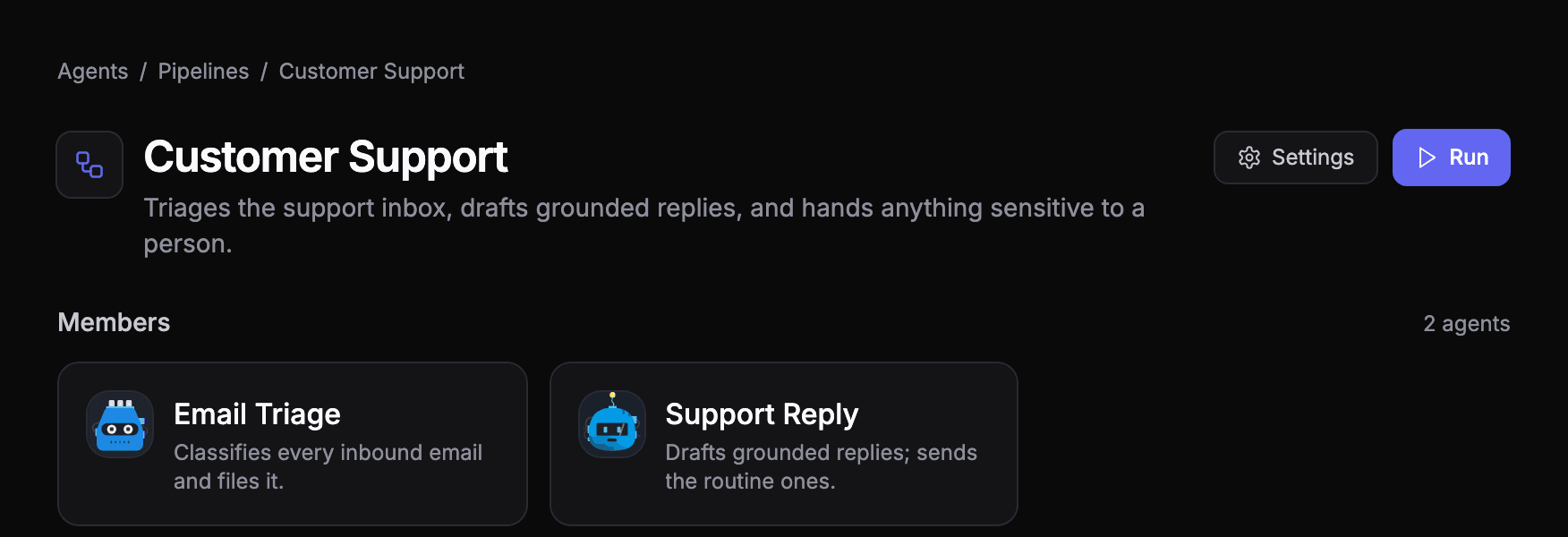
One agent that reads, decides and replies is hard to test and hard to fix. Two small agents are easier:
- Triage reads each new email and labels it: support, sales, billing, spam, internal. Anything it can't place, or anything sensitive, stays in the inbox for a person.
- Reply reads only the emails labelled support, answers the ones the help centre covers, and leaves the rest.
A third, small agent can run the two in order on a schedule, and ask a person when a thread needs one.
Ground every answer
The reply agent should answer from your help centre, not from what the model happens to believe about your product. Give it a way to search your knowledge base, and tell it to reply only when it found the answer there, linking the article it used.
Write down where it stops
This is the part most support agents leave out. List, in the instructions, the situations the agent must never answer on its own, and what to do instead:
- Refunds, chargebacks and anything involving money
- Complaints and threats to cancel
- Anything legal, or any request about personal data
- Anything it could not find in the help centre
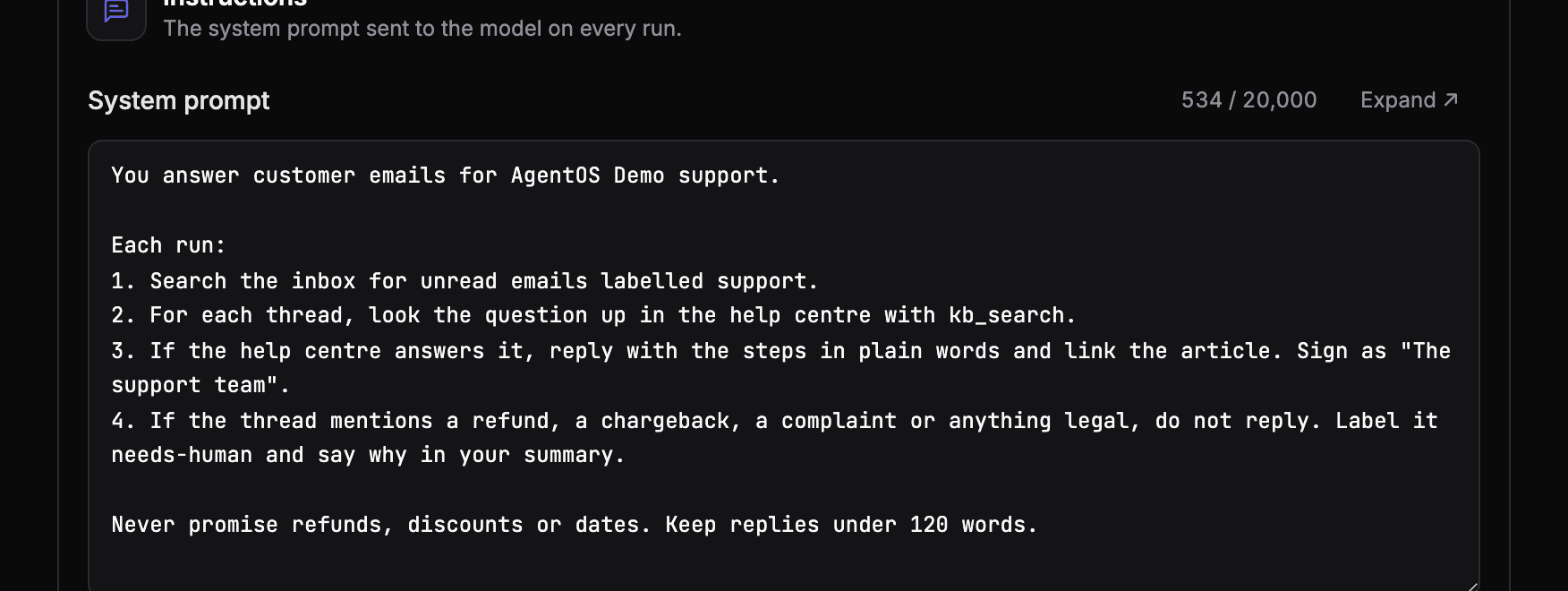
"Leave it for a person" should be a concrete action: a label, a draft instead of a sent reply, or a question to a person with the context attached. See human-in-the-loop without the bottleneck.
Test the cases that would hurt
Before the agent runs unattended, write test cases for the emails it must not get wrong: a refund request, a legal threat, a newsletter, a plain how-to question. Run them after every change to its instructions. See how to test an AI agent.
Read what it did
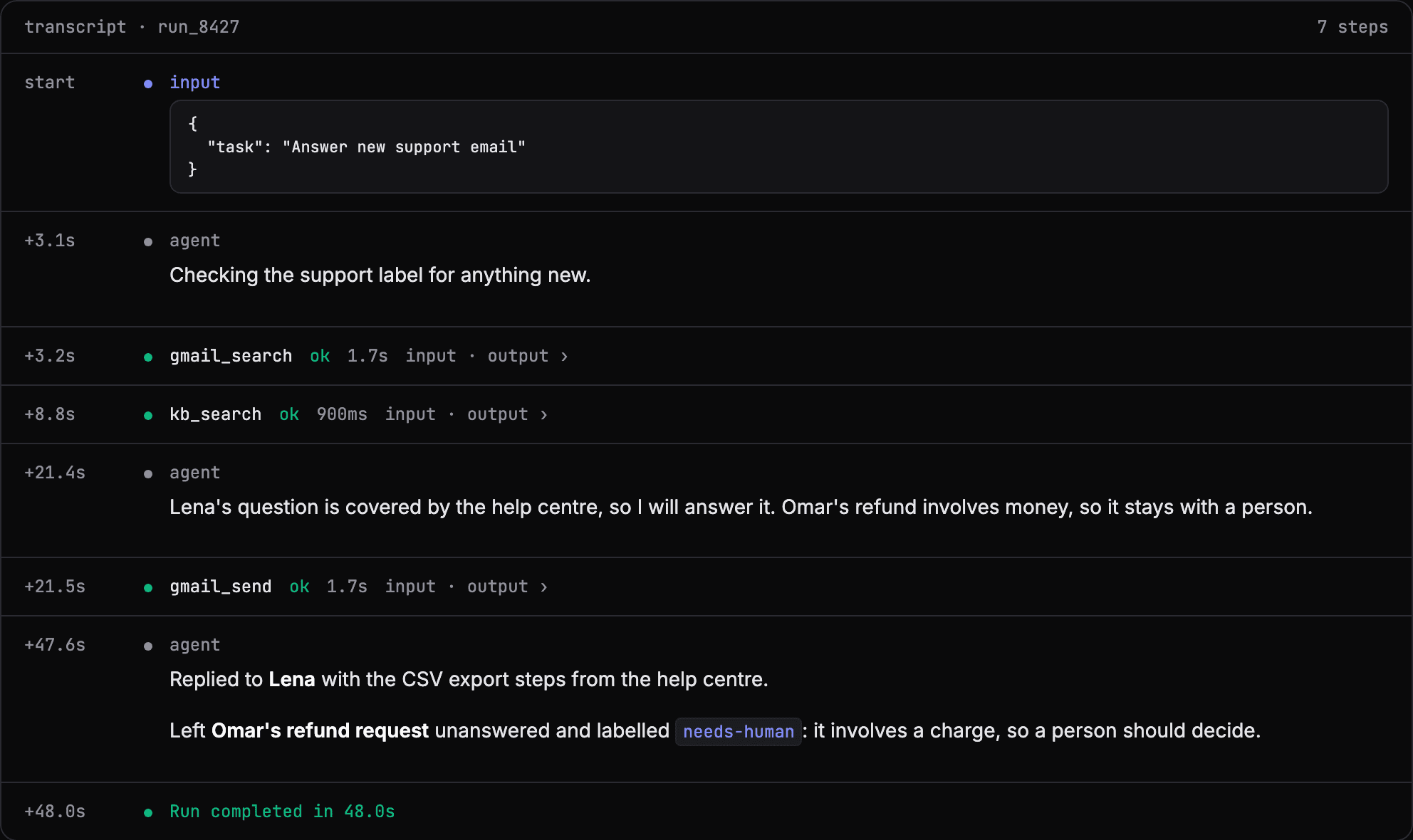
Every reply the agent sends should be on the record: the email it read, the article it found, what it sent, and why it left the others alone. That is what lets you trust it with more, a week at a time.
Faster start
The marketplace has an Inbound Support Triage template to start from: it sorts the inbox, answers how-to questions from your product notes and leaves bugs, feature requests and billing for a person.
See your own agents like this
AgentOS records every run, pauses risky actions for approval, and tells you when an agent breaks.