Guide · 23 August 2026
How to know when an AI agent breaks
Traditional software fails loudly: an exception, a stack trace, a red dashboard. Agents often fail quietly. A source starts blocking the agent's requests and it writes half a report. A label call times out on busy days. The agent finishes, says something reasonable, and nobody notices for a week.
Knowing when an agent breaks takes three things: the right signals, alerts on them, and a short path from "something is wrong" to "here is the fix".
The signals worth watching
- Failed runs. The obvious one, but only for agents where a single failure matters.
- Failure rate over time. An agent that failed twice this week after a quiet month is telling you something, even if each failure looked like noise.
- Duration. A run that suddenly takes much longer often means a loop, a retry storm or a slow dependency.
- Silence. A scheduled agent that should have run by now and didn't. No error is ever raised for a run that never started.
- Output quality. The agent completes, but its answers get worse. This one needs something to read the outputs.
- Spend. A sudden jump in tokens is often the first sign of a loop.
Put alerts on them
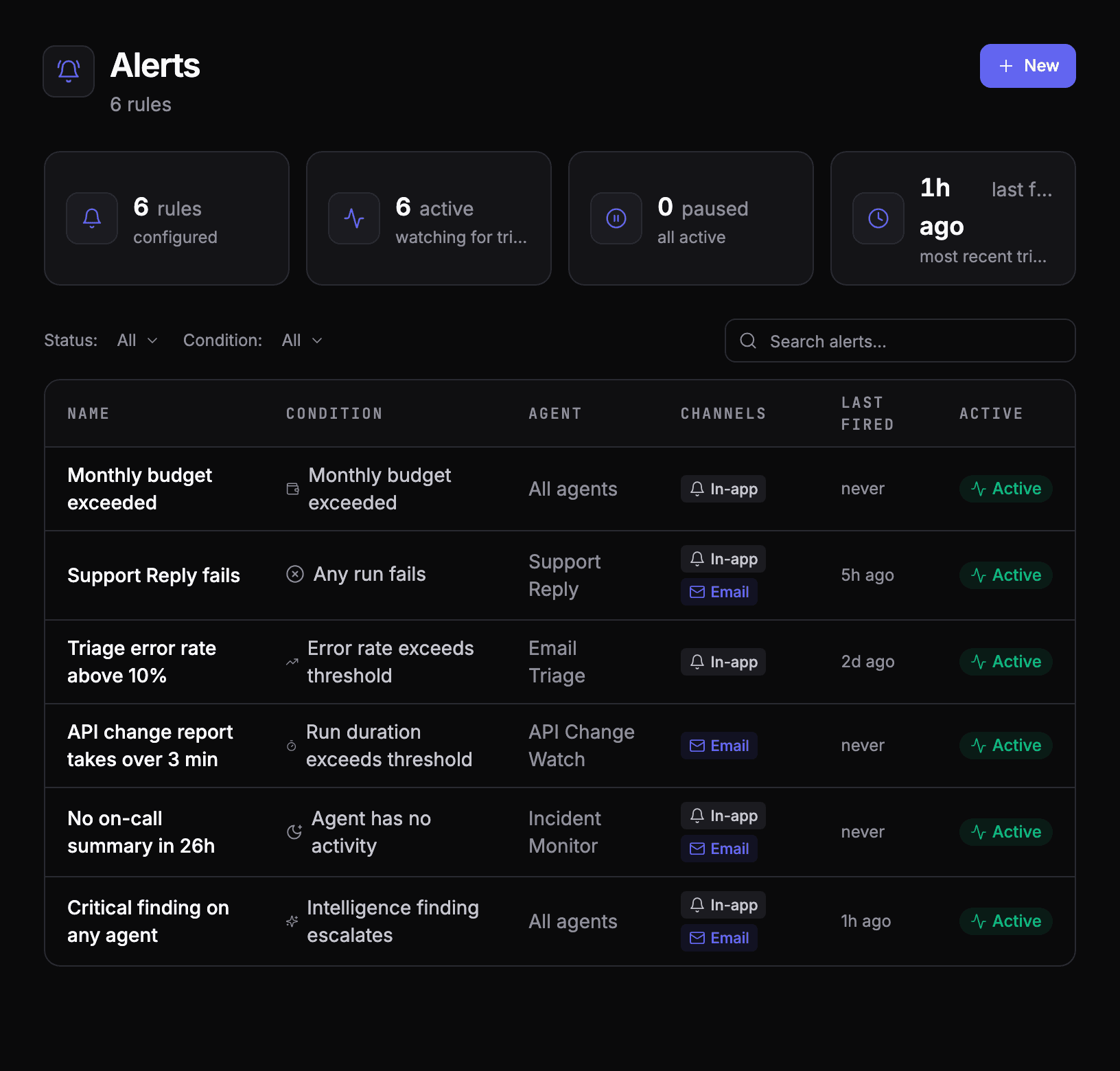
Pick the signal that matches how the agent fails. An agent that must never fail gets an alert on any failure; a busy agent where one failure is noise gets one on its error rate over the last runs; a scheduled agent gets one for going quiet.
From failure to fix
An alert tells you something broke. It doesn't tell you why, and reading twenty failed runs to find the pattern is the step people skip.
This is work an agent can do. In AgentOS, built-in intelligence agents watch the fleet: one looks for failure trends, one for latency regressions, one for unusual tool-call patterns, one scores output quality. What they find lands in one inbox, ranked by severity, each with a recommendation.
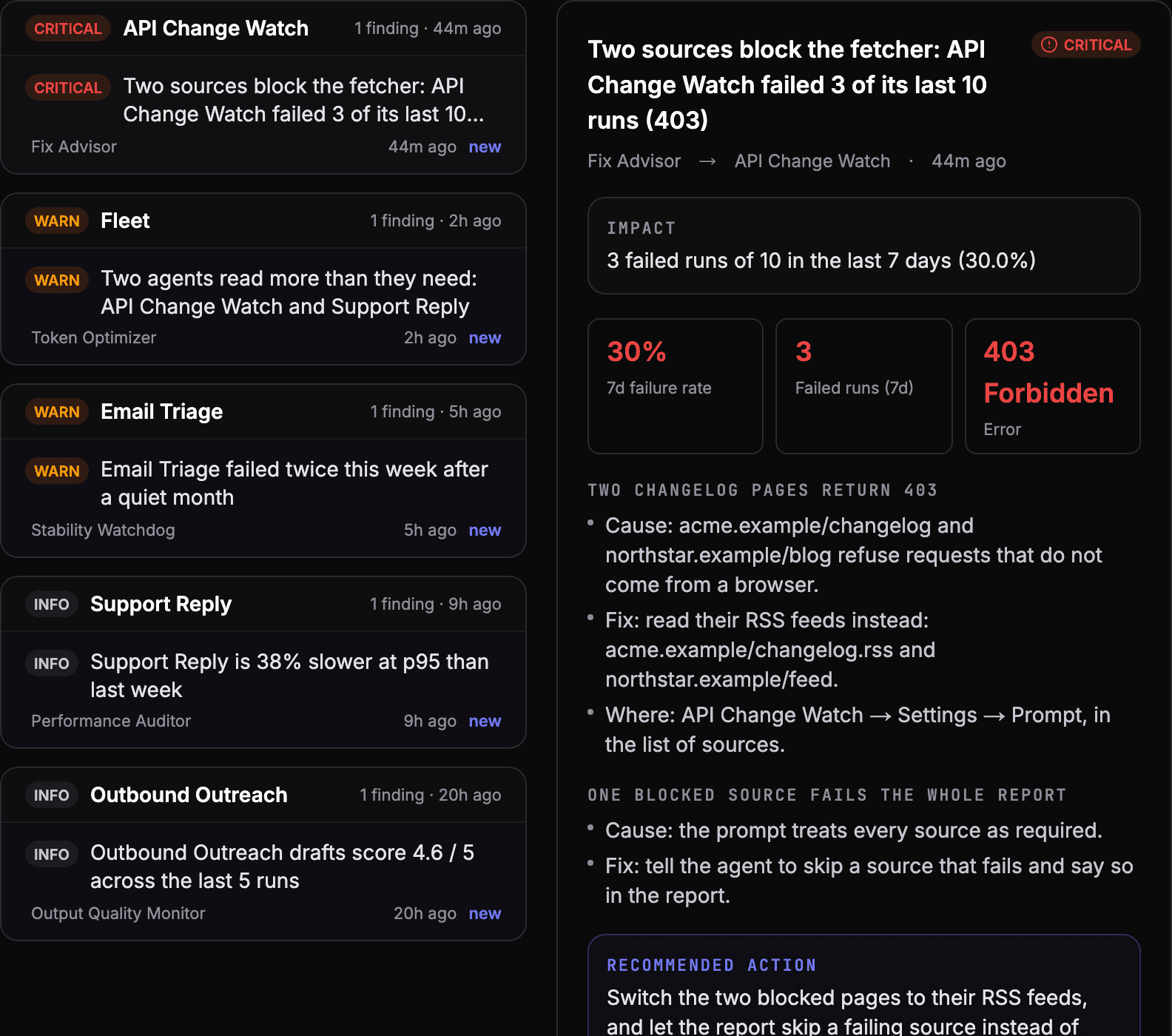
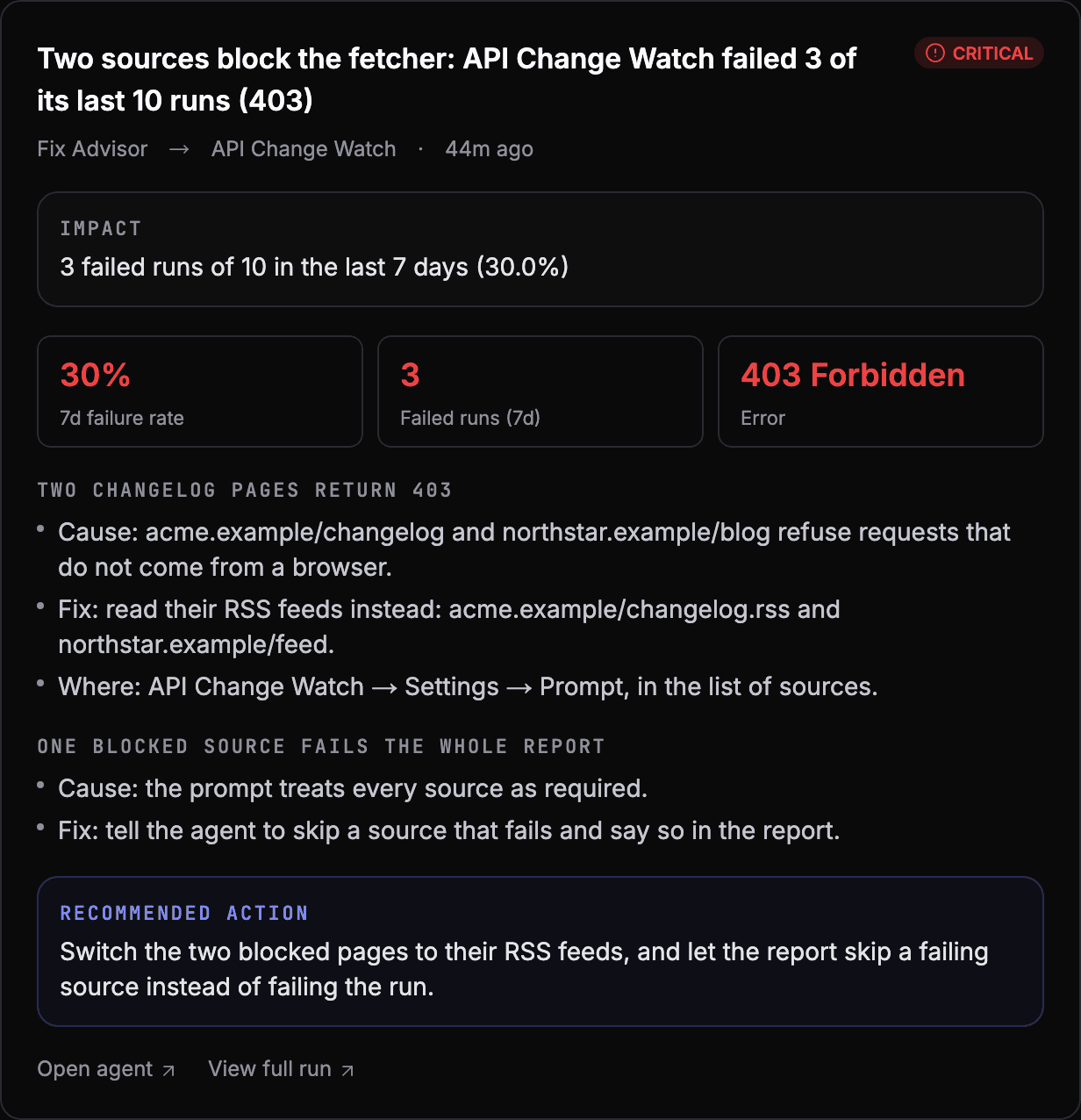
For a failing agent, Fix Advisor reads its failure history and its setup and writes the fix: what is failing, why, and exactly what to change and where.
A routine that works
- Alerts for the signals above, sent where someone will see them.
- A look at the findings inbox once a week, worst first.
- Every fix checked with a test case, so the same failure can't come back quietly. See how to test an AI agent.
See your own agents like this
AgentOS records every run, pauses risky actions for approval, and tells you when an agent breaks.