Guide · 25 September 2026
What to log for every AI agent run
When an agent does something surprising, the first question is always the same: what did it actually do? If the only thing you kept is its final answer, you cannot say. The interesting failures in agents rarely throw errors. They take a wrong turn halfway through and finish politely.
This is the record worth keeping for every run, and why each part earns its place.
The run itself
- What started it. A schedule, a person, an API call, or another agent. A person's name when there is one.
- The input. Exactly what the agent was asked to do.
- The outcome. Completed, failed, waiting for approval, or waiting for a person, and the final output.
- Duration and cost. Total time, tokens in and out, and the cost that works out to.
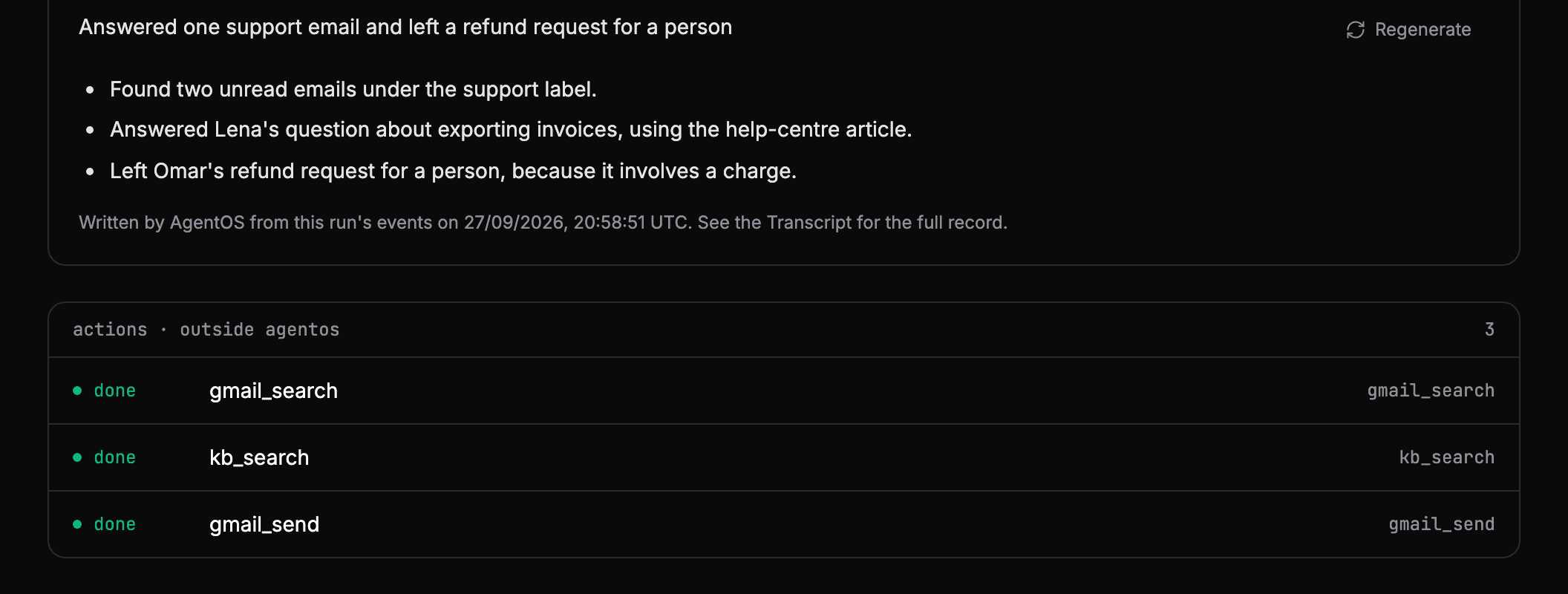
A short plain-language summary on top saves reading the whole record when all you need is the gist.
Every step, in order
A run is a sequence of steps, and the order is the story.
- Every model call: which model, how many tokens, what it said back. The text between tool calls is where the agent explains its reasoning.
- Every tool call: the tool, the exact arguments, the result, and how long it took. Pair each call with its result so a failed call is obvious.
- Every error: where it happened and the message, kept with the run instead of in a separate log.
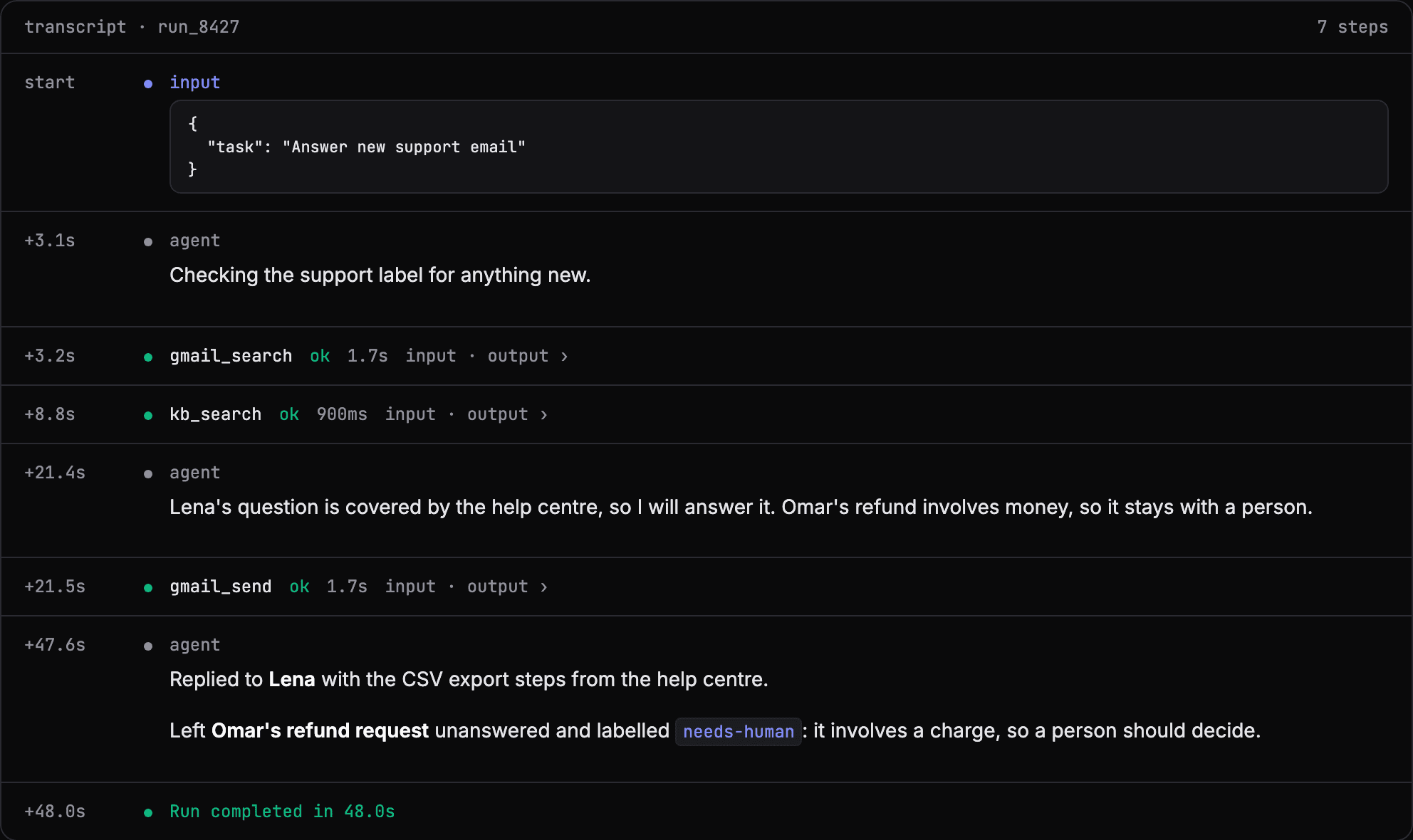
Put these on a timeline, and give each step a duration and a parent, and you have a trace: you can see where the time and the tokens went.
Decisions made by people
If a step waited for approval, keep who decided, what they decided, when, and any note they left. If the agent asked a person a question, keep the question and the answer. These are the parts auditors and customers ask about.
Cost per run, per agent
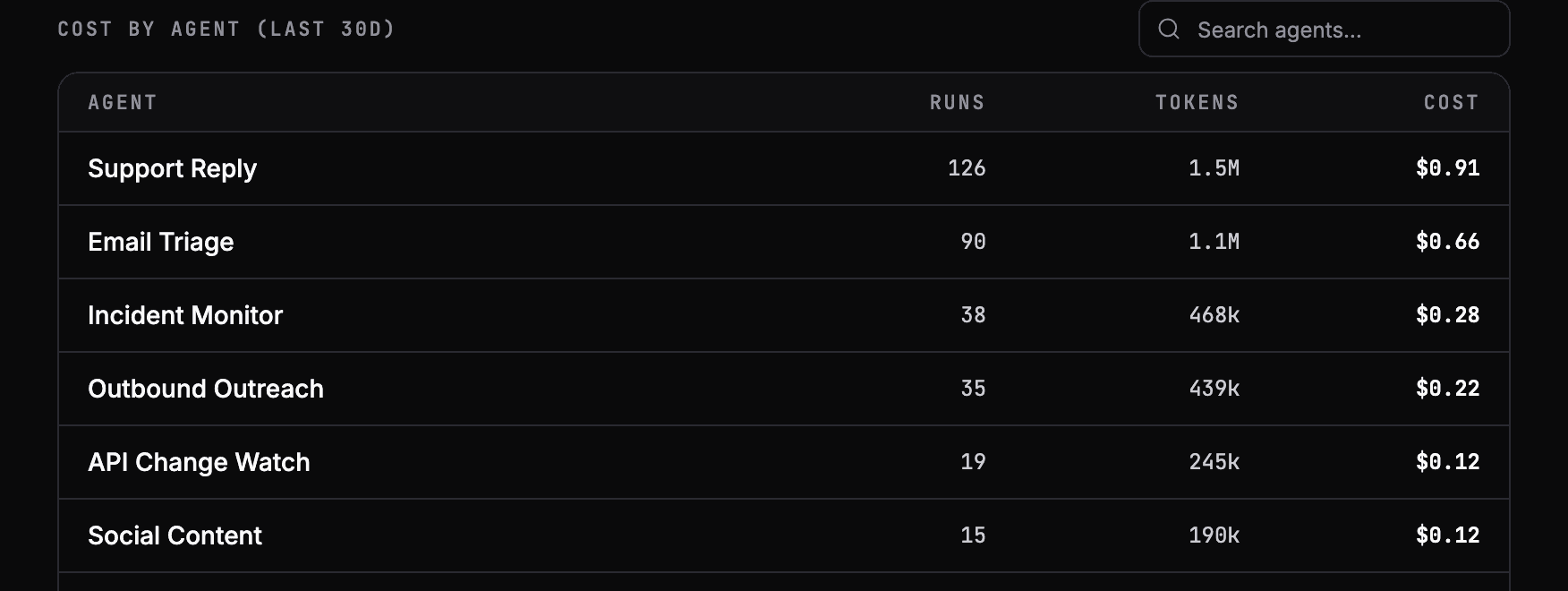
Monthly spend hides problems. Cost per run shows them the day they start: an agent that re-reads the same document on every step, or a tool that costs thirty times more than you assumed. Keep token counts on every model call so cost can be broken down by agent and by model.
Alerts, so you know when to look
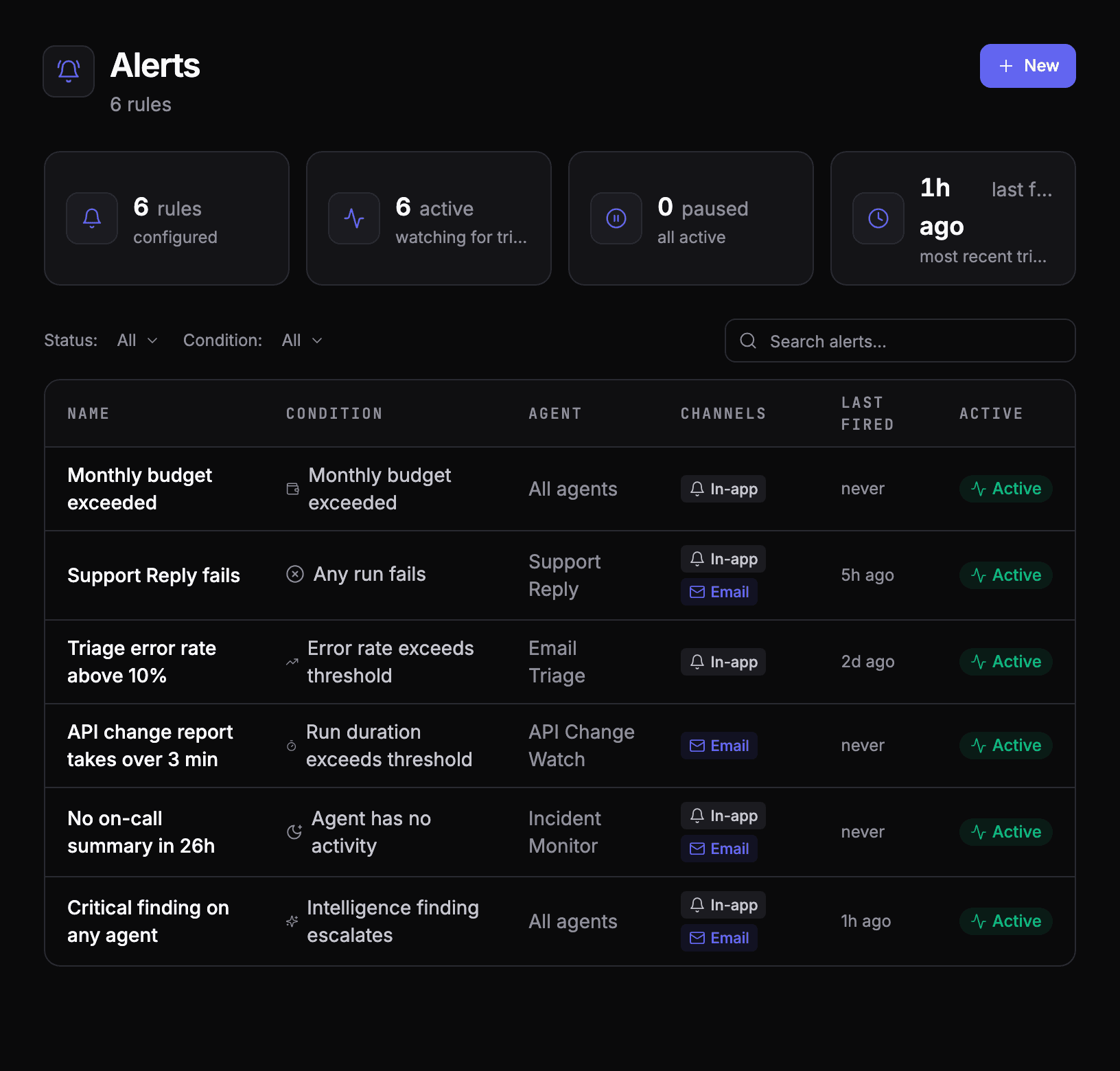
A complete record only helps if someone opens it. Set alerts for the signals that matter:
- A run fails, for the agents where any failure matters.
- The error rate crosses a threshold over the last N runs, for the agents where one failure is noise.
- A run takes too long, which often means a loop or a slow dependency.
- An agent goes quiet when it should have run by now.
- Spend passes a monthly budget.
How AgentOS records it
Agents that run on AgentOS are recorded automatically: every run, model call and tool call, with tokens and cost, on the run's page in order. Agents you run yourself can report the same record through the TypeScript or Python SDK, or through OpenTelemetry.
The events and tracing docs show what is captured, and alerts covers the rules above.
See your own agents like this
AgentOS records every run, pauses risky actions for approval, and tells you when an agent breaks.