Guide · 6 September 2026
Scheduling AI agents: what should run on its own
Some agents should wait to be asked: a research assistant, a writing helper, anything that starts from a person's question. Most agents doing ongoing work should just show up: sort the inbox before the day starts, write the Monday report, summarise the night's alerts. Putting those on a schedule is what turns an agent from a tool into a colleague.
What belongs on a schedule
A job is a good fit for a schedule when:
- It recurs. The same work, on the same inputs, every day or every week.
- Nobody should have to remember it. The value is that it happens without a reminder.
- The output has a natural time. A brief before a meeting, a summary before the on-call shift, a report on Monday morning.
A job is a poor fit when it depends on a specific request, or when running it with nothing to do still costs money. Run those on demand or from your own code instead.
Pick the cadence from the work
- Daily, early: anything someone reads at the start of the day, like an on-call summary, an inbox sort or a queue of drafts to review.
- Weekly: reports and reviews, where a day's data is too noisy to act on.
- In the right time zone: a "9 a.m." run should mean 9 a.m. where the team is.
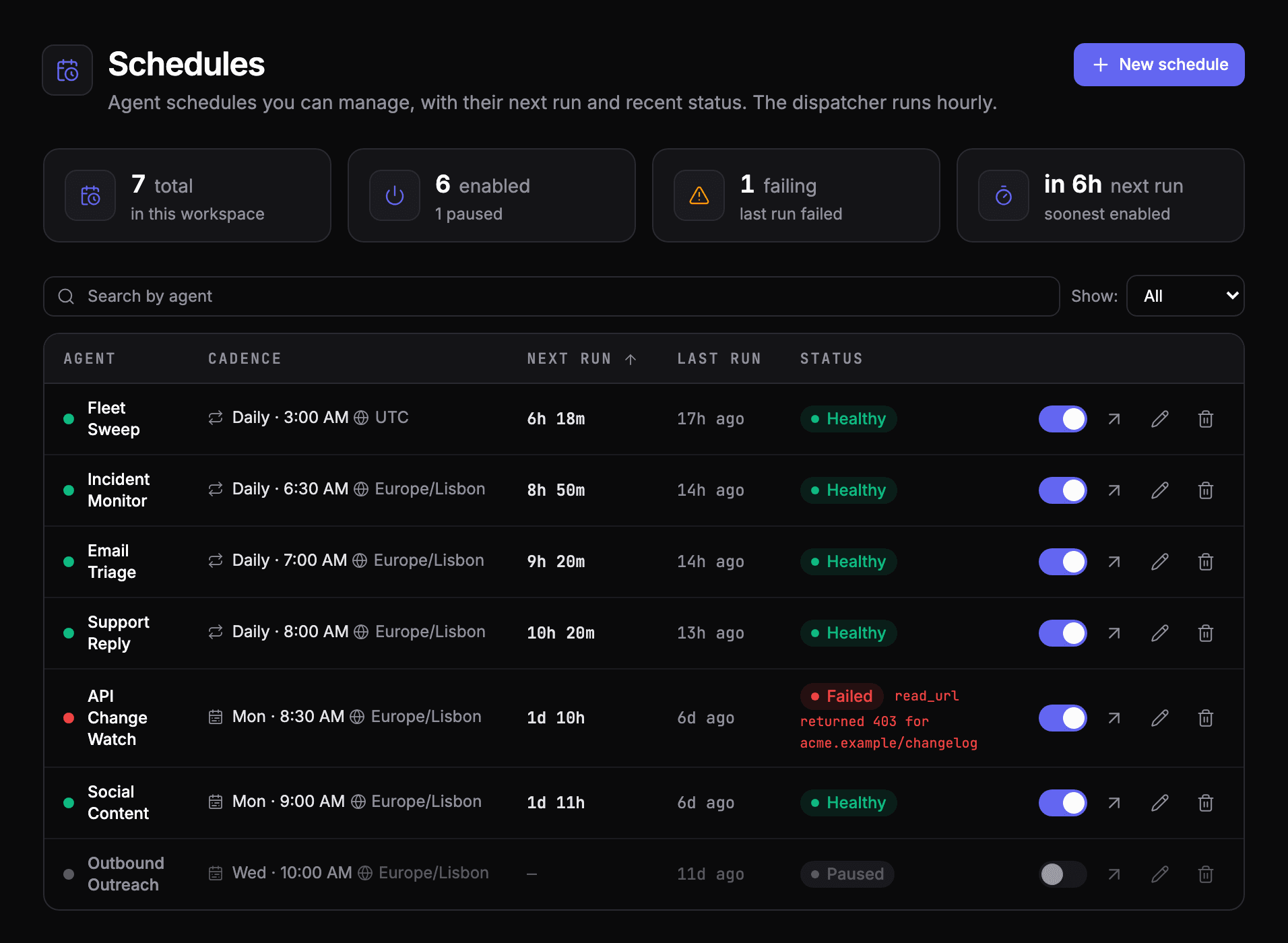
Know when a scheduled agent goes quiet
The failure unique to scheduled agents is silence. A run that never starts raises no error, so nothing tells you it didn't happen. Two habits catch it:
- An alert on no activity: notify when an agent that should have run hasn't, within a window you choose.
- A last-run status per schedule: the schedule list shows when each agent last ran and whether that run succeeded, so a failing weekly job doesn't wait a week to be noticed.
Pause without deleting
Agents need breaks: a source is down, the team is on holiday, a prompt is being rewritten. Pause the schedule rather than the agent, so it can still be run by hand and its history stays intact.
Scheduling in AgentOS
- On an agent's Schedule tab, choose Daily, or Weekly and a day, then the time and the time zone.
- Add optional run instructions: a JSON input passed to every scheduled run.
- The Schedules page lists every schedule with its next run, last run and status, and a switch to pause it.
- Pair it with an Agent has no activity alert. The scheduling docs cover the details.
See your own agents like this
AgentOS records every run, pauses risky actions for approval, and tells you when an agent breaks.